Evolve
Role
PRODUCT DESIGNER (RESEARCH, UX, UI)
Client
Personal project
TImeline
7 Weeks
Year
2024
Project Summary
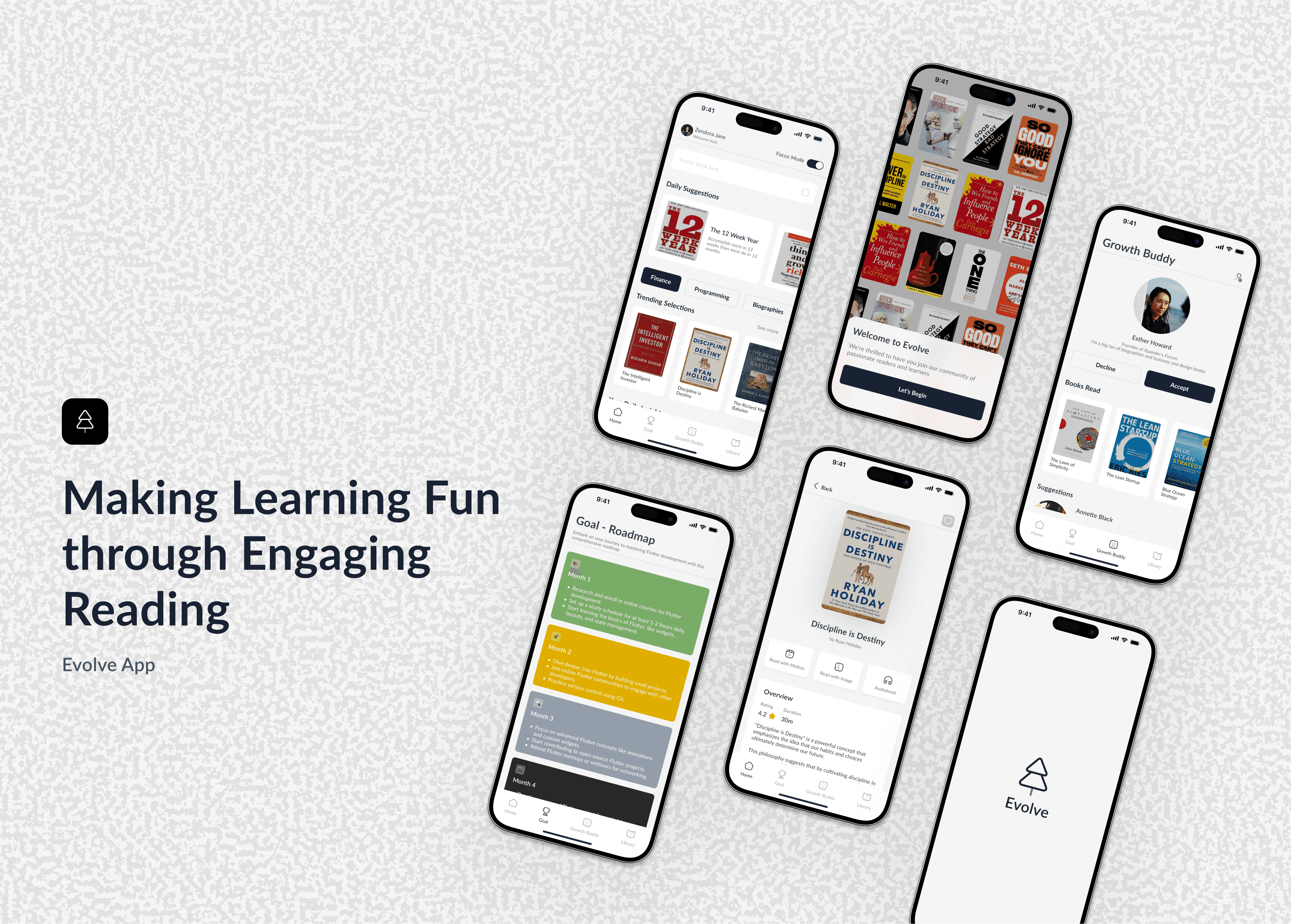
Evolve is a mobile app that helps busy entrepreneurs and students build a consistent reading habit by turning personal development books into engaging, bite-sized lessons with visuals.
The Challenge
Research showed people want to grow but find traditional reading boring, overwhelming, and easy to quit.
The Solution
Evolve App makes personal development reading accessible and engaging through:
Bite-sized content delivery that fits busy schedules.
AI-powered personalization that adapts to individual learning styles.
Social features that create accountability and community.
Impact & Results
User testing validated the concept, with 4/5 participants stating they would use the app to build a daily reading habit
Tools Used
Figma (Design & Prototyping)
WhatsApp (User Interviews)
Pen, Sketch Books, Sticky Notes
ChatGPT, Deepseelk & Perplexity
Skills Demonstrated
User Research & Interviews - Primary research with target users
Competitive Analysis - Market positioning and differentiation
Information Architecture - User flows and wireframe creation
Visual Design - High-fidelity UI design and prototyping
Design Systems - Scalable component library creation
Problem-Solving - Overcame personal and logistical challenges
Understanding the Reader's Struggle
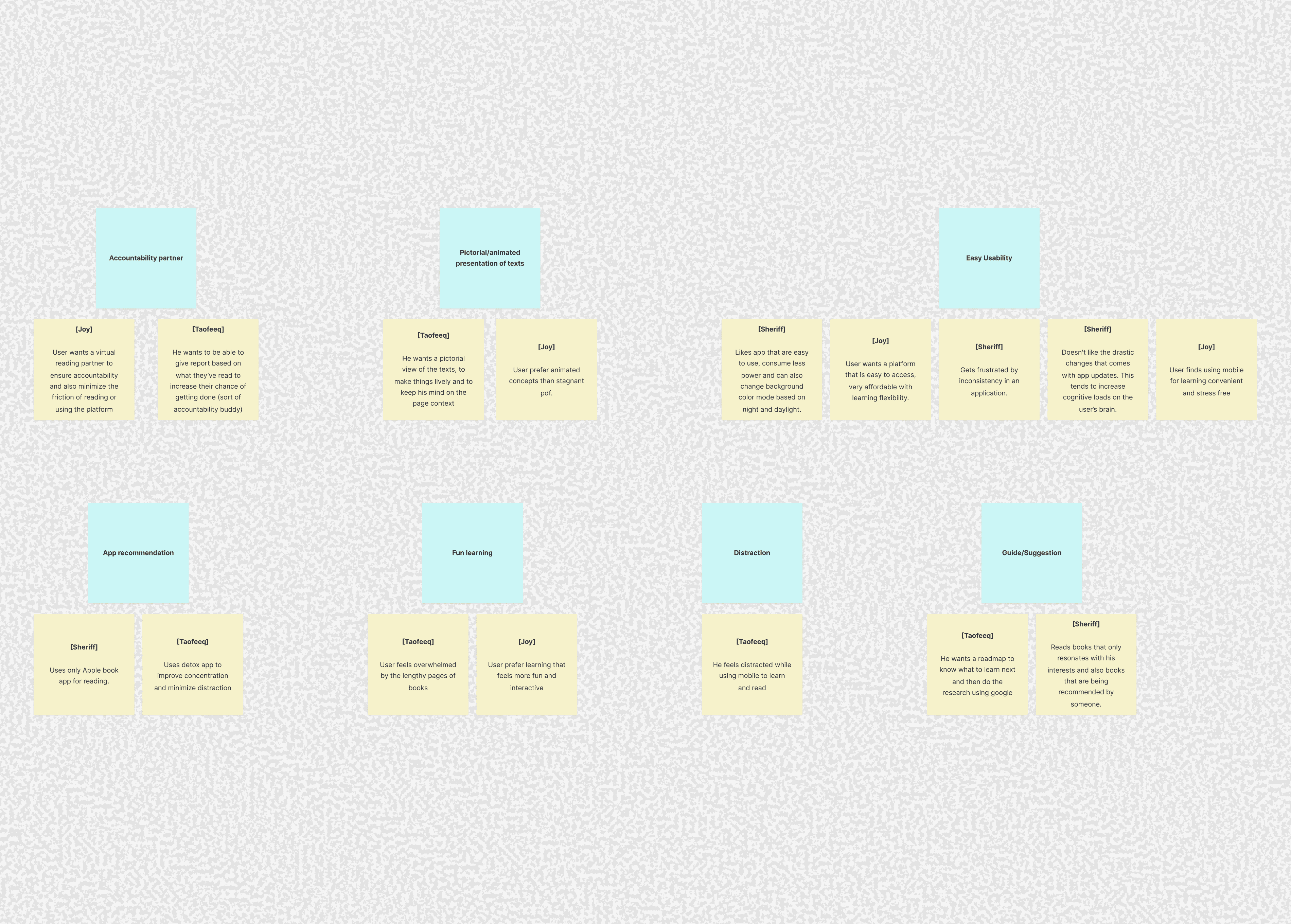
Synthesizing user interviews uncovered a key insight: readers don't want another chore; they want learning to feel fun and effortless.
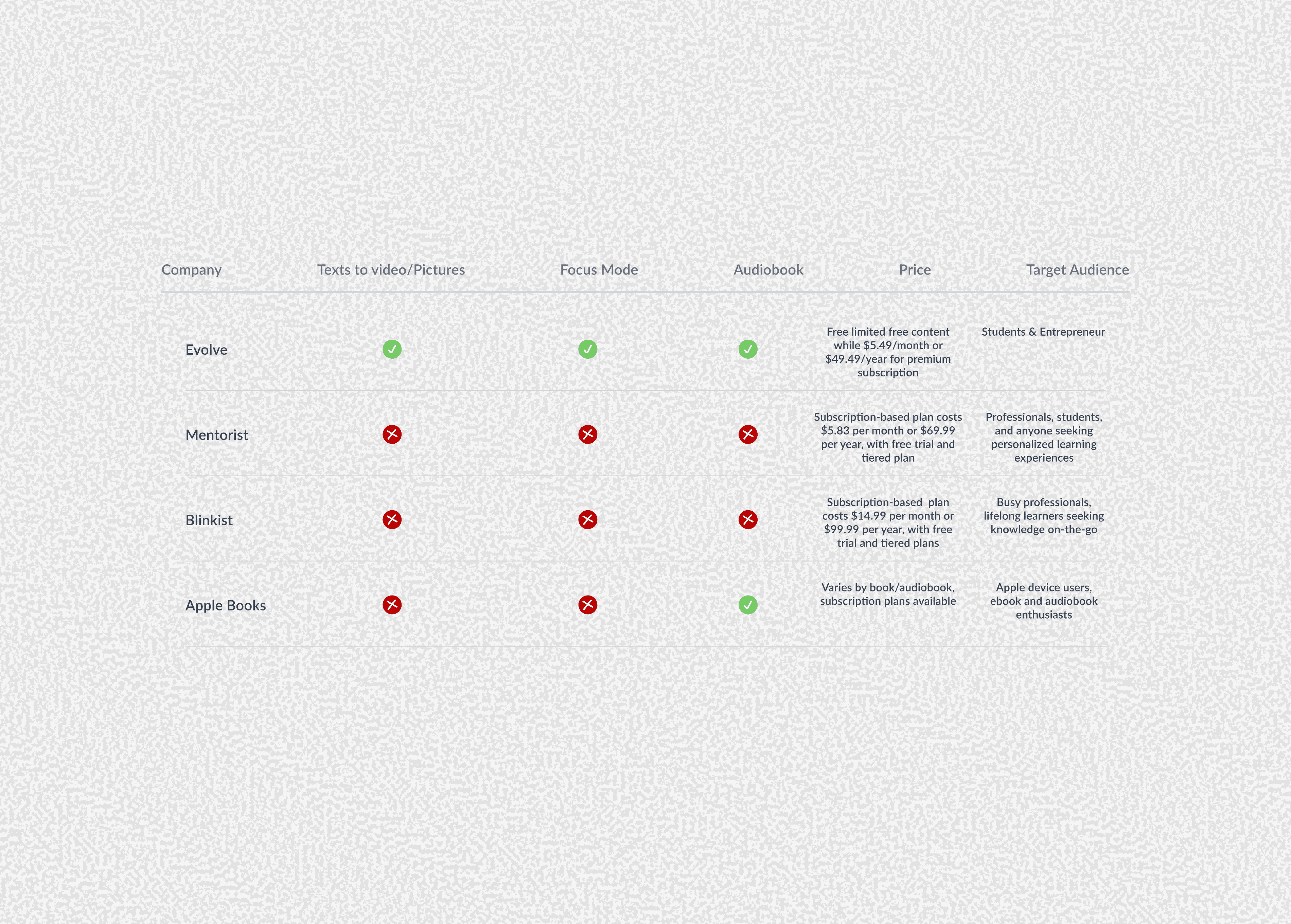
Competitive analysis revealed an opportunity to differentiate by combining book summaries with lasting habit formation through visualization.
Structuring the Solution
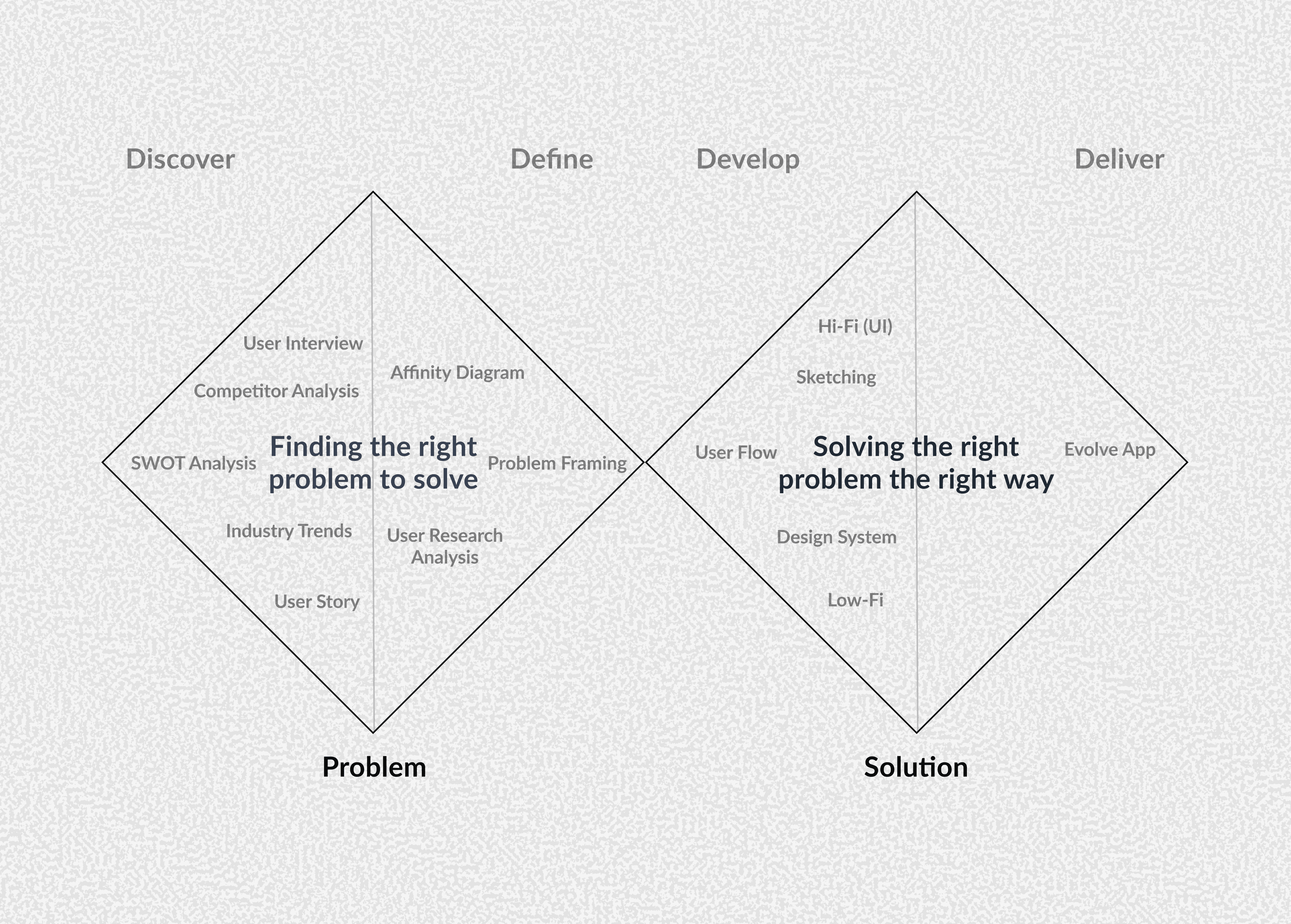
I used the Double Diamond framework to ensure I fully understood the problem space before committing to a solution.
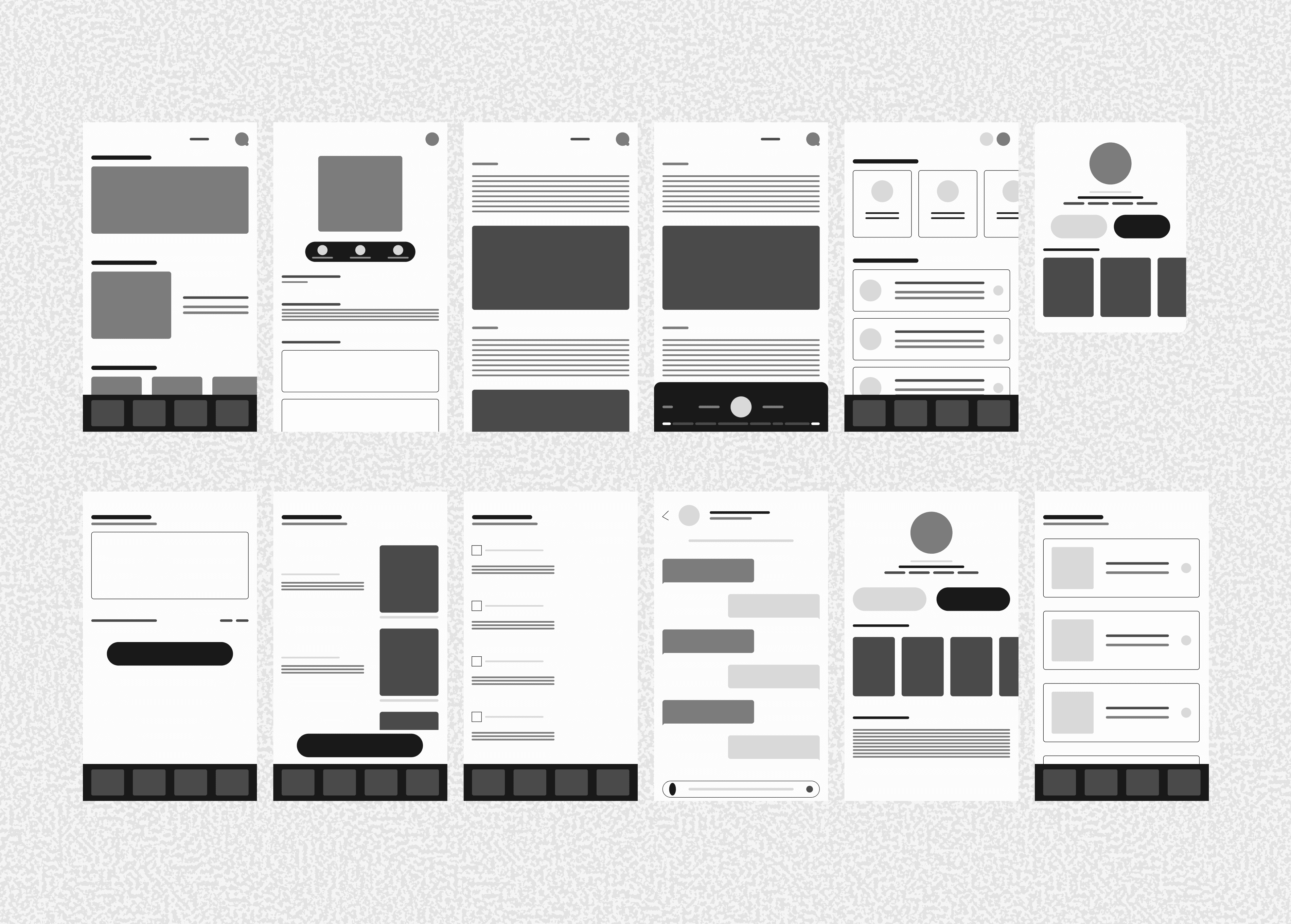
I prioritized a solid structural foundation with wireframes, ensuring the user flow and layout were intuitive before applying the visual layer.

I built a scalable design system from the start to ensure consistency and speed up future development
From Structure to High-Fidelity UI
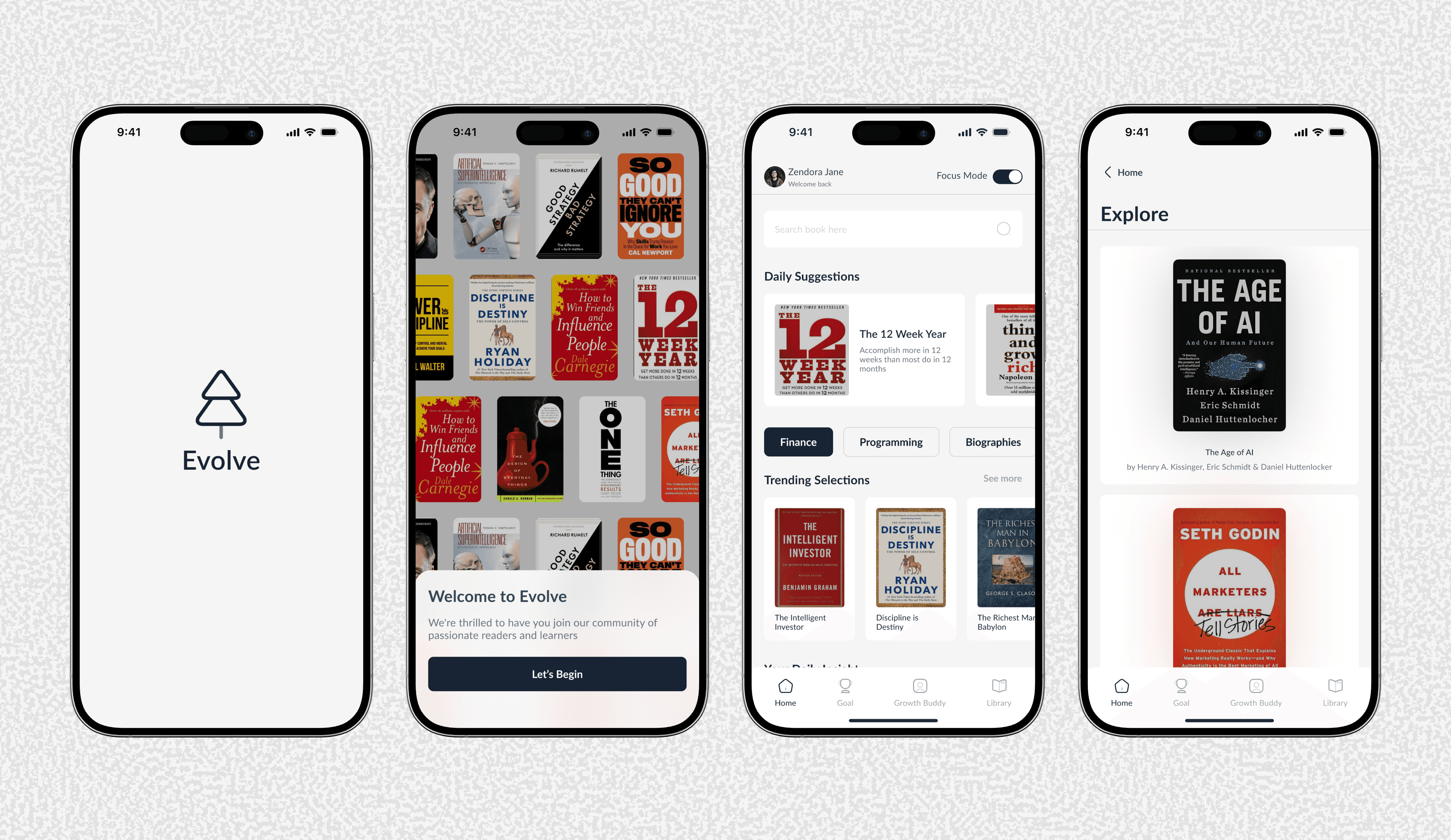
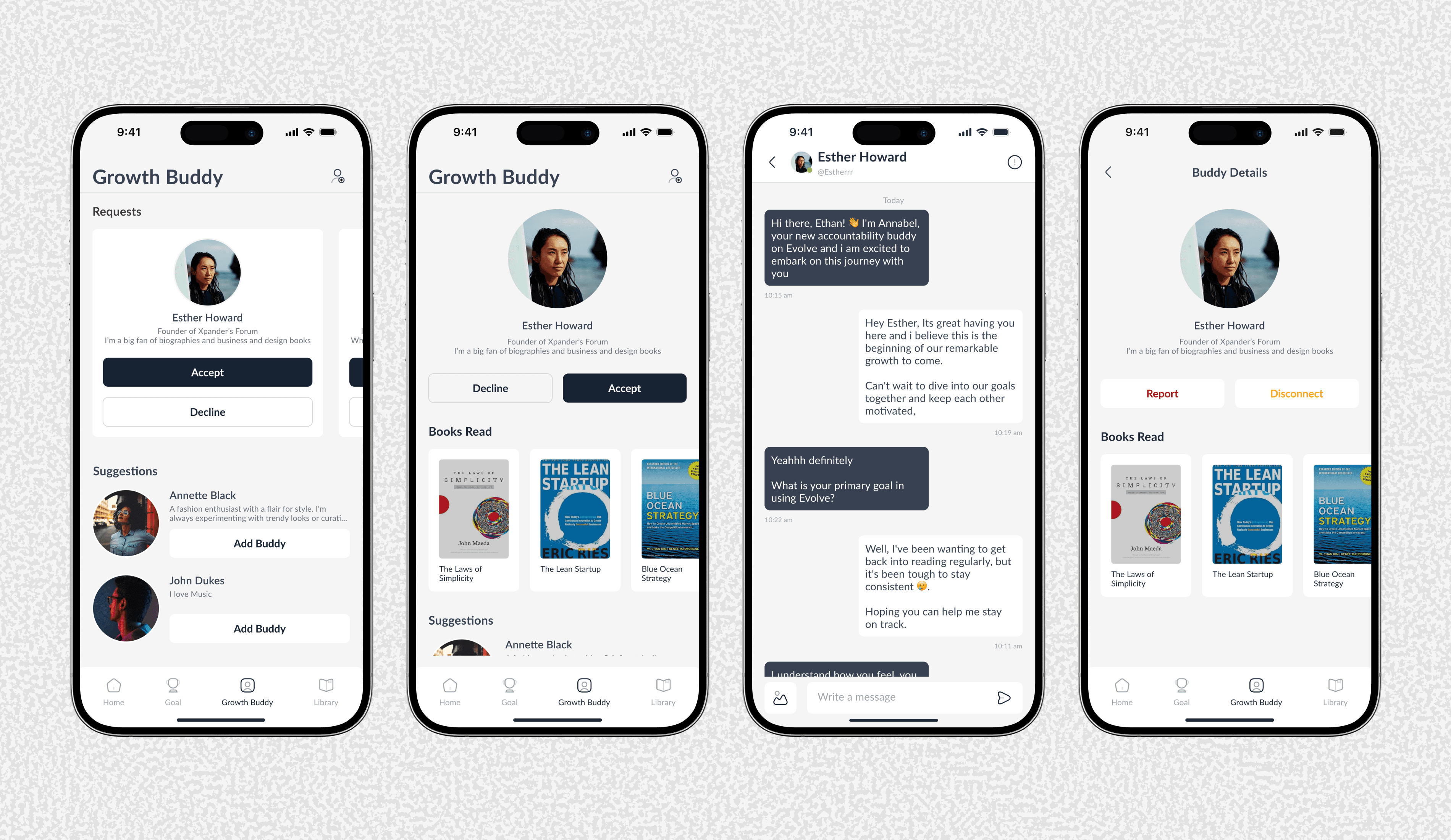
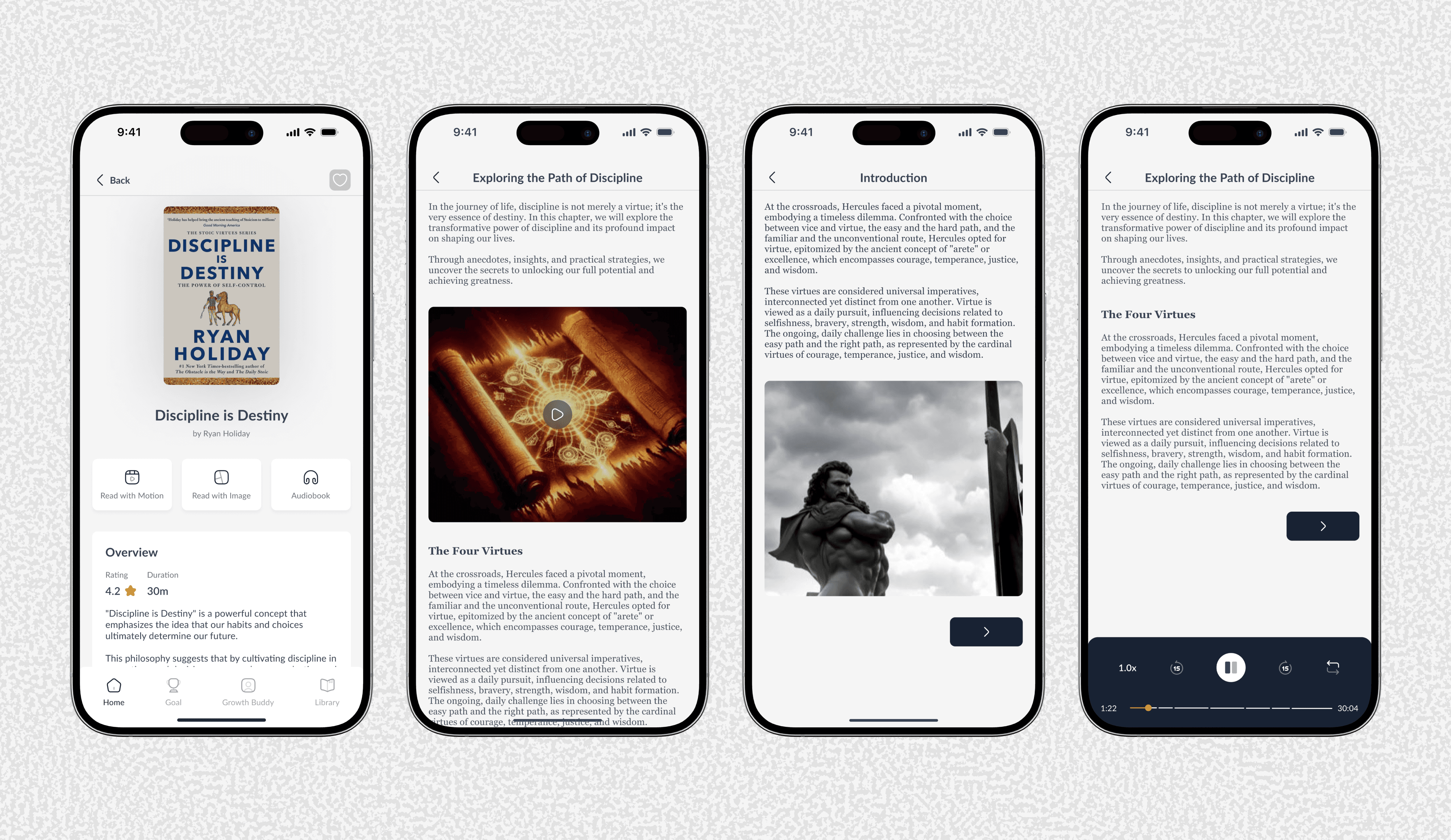
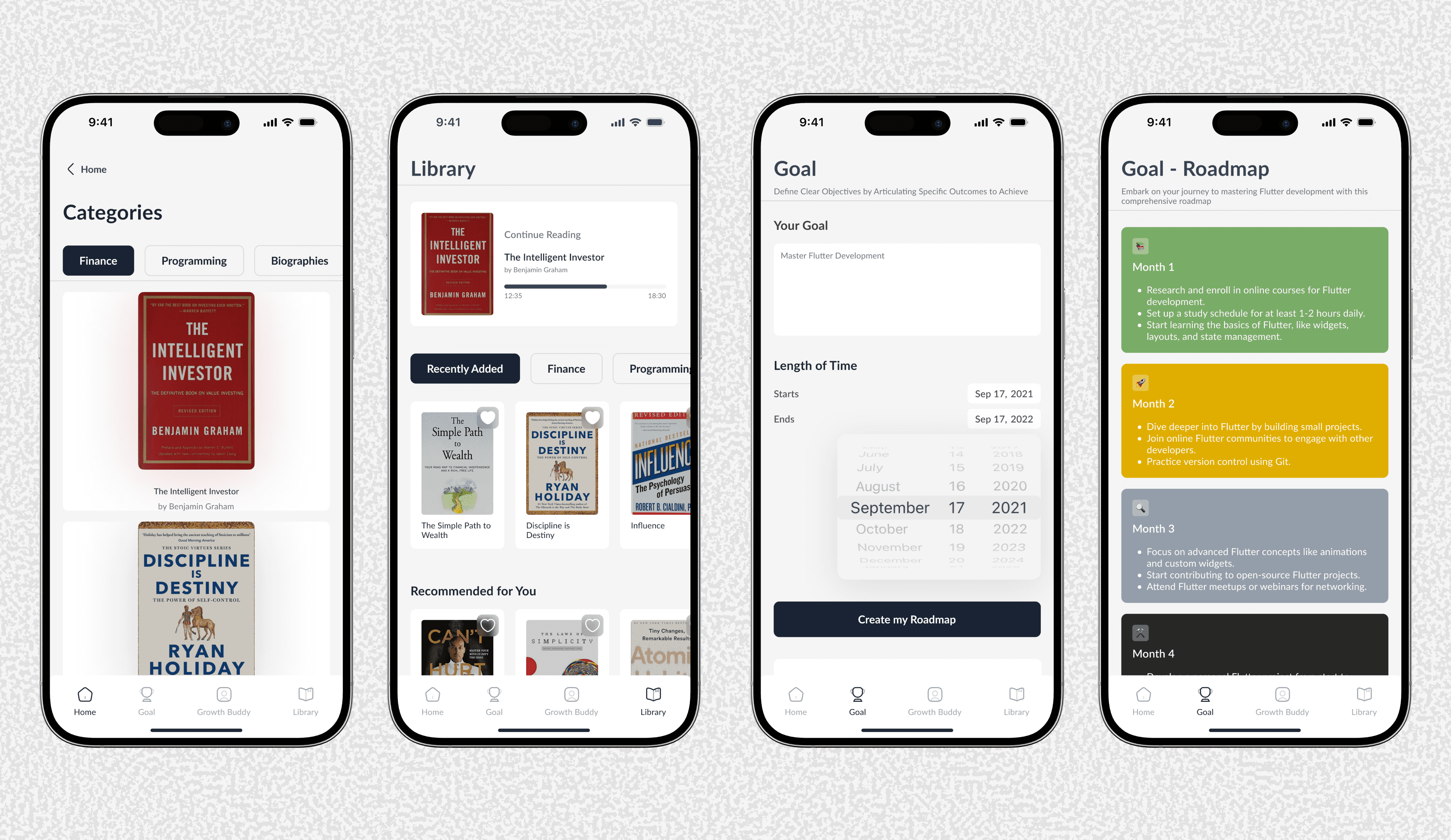
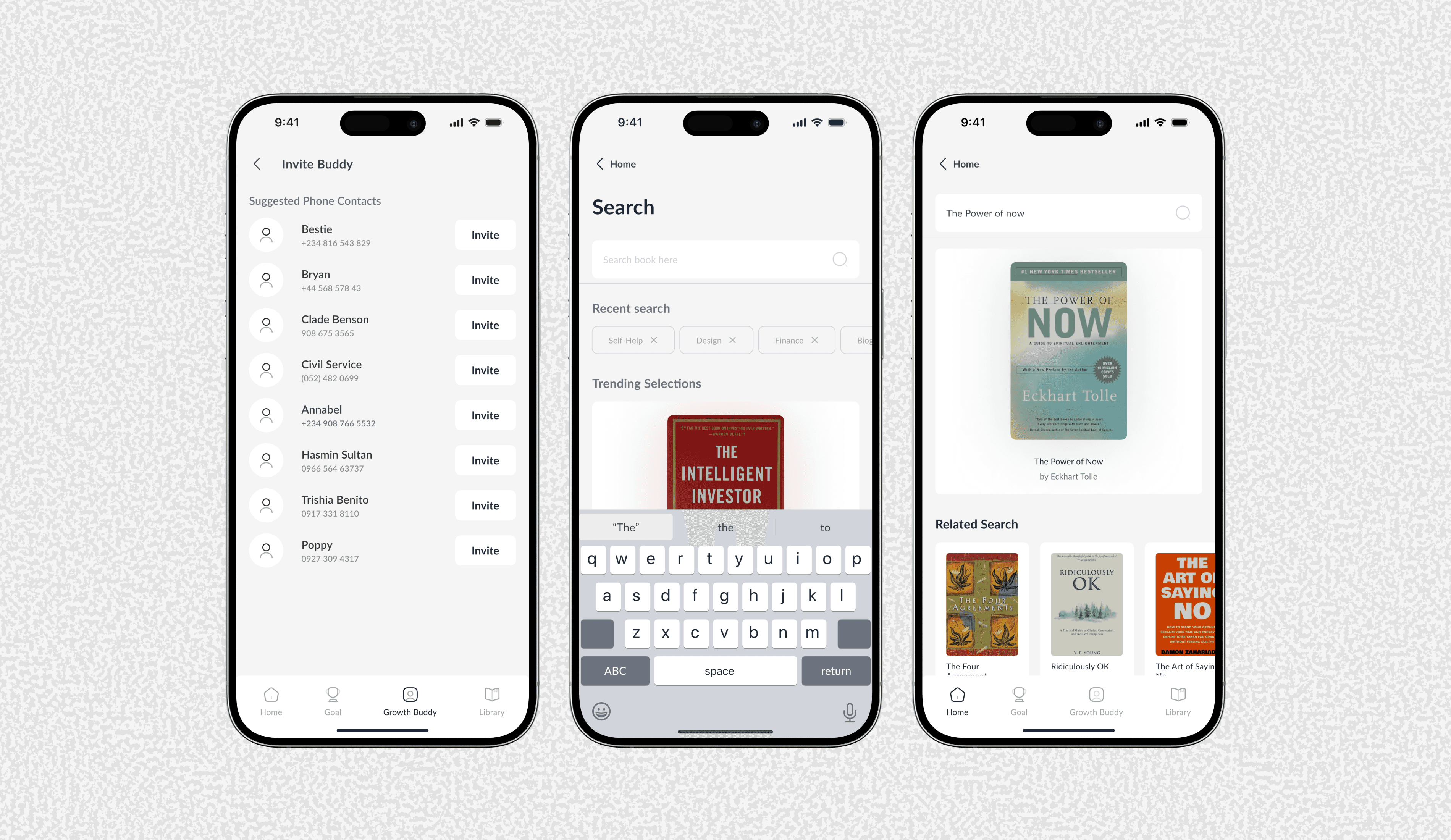
The high-fidelity UI focuses on visuals and a simple interface that makes reading feel fun.
Key Features That Solve Real Problems
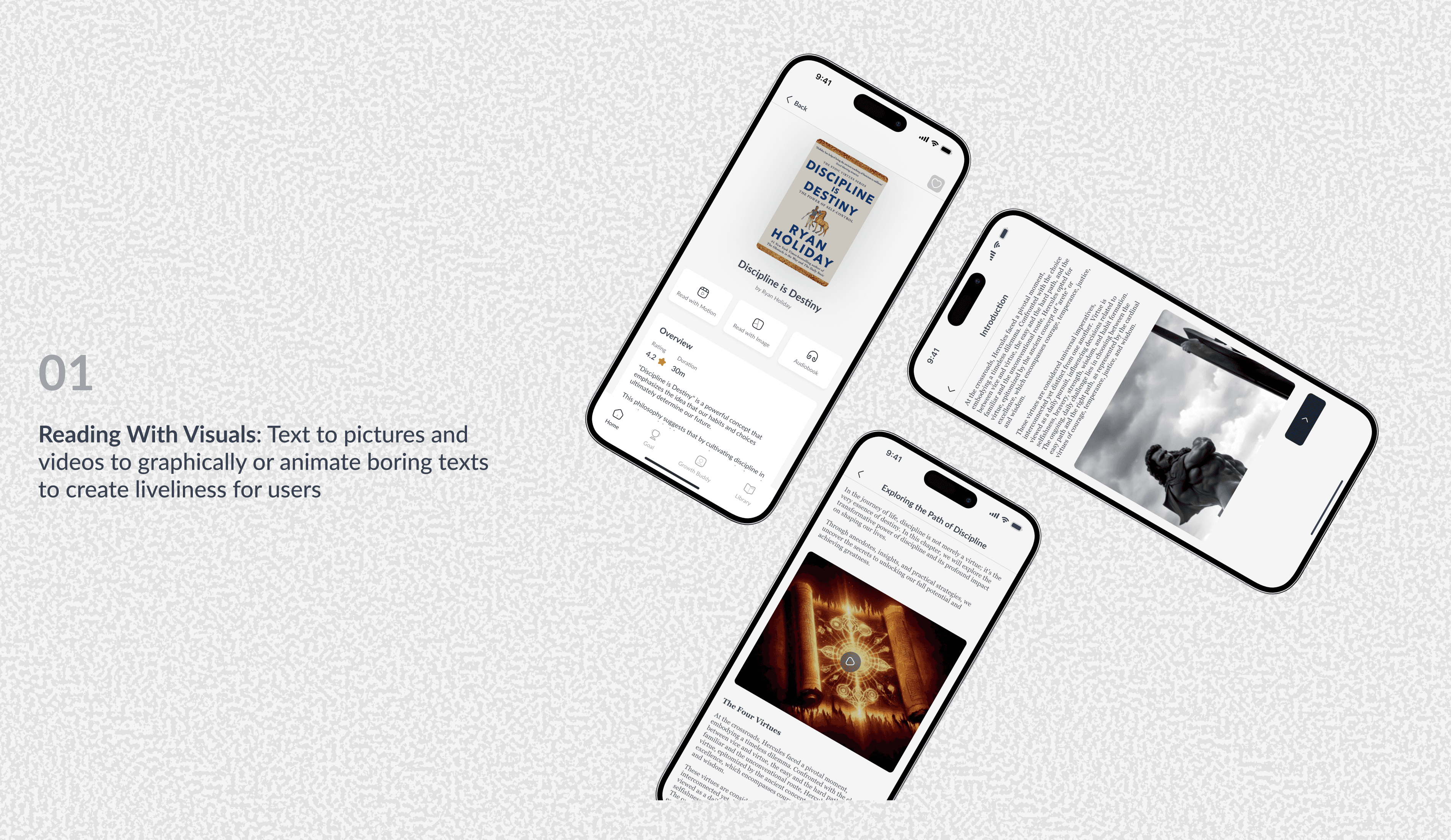
Transforms dense text into engaging, visual content to make learning stick and feel less like a chore
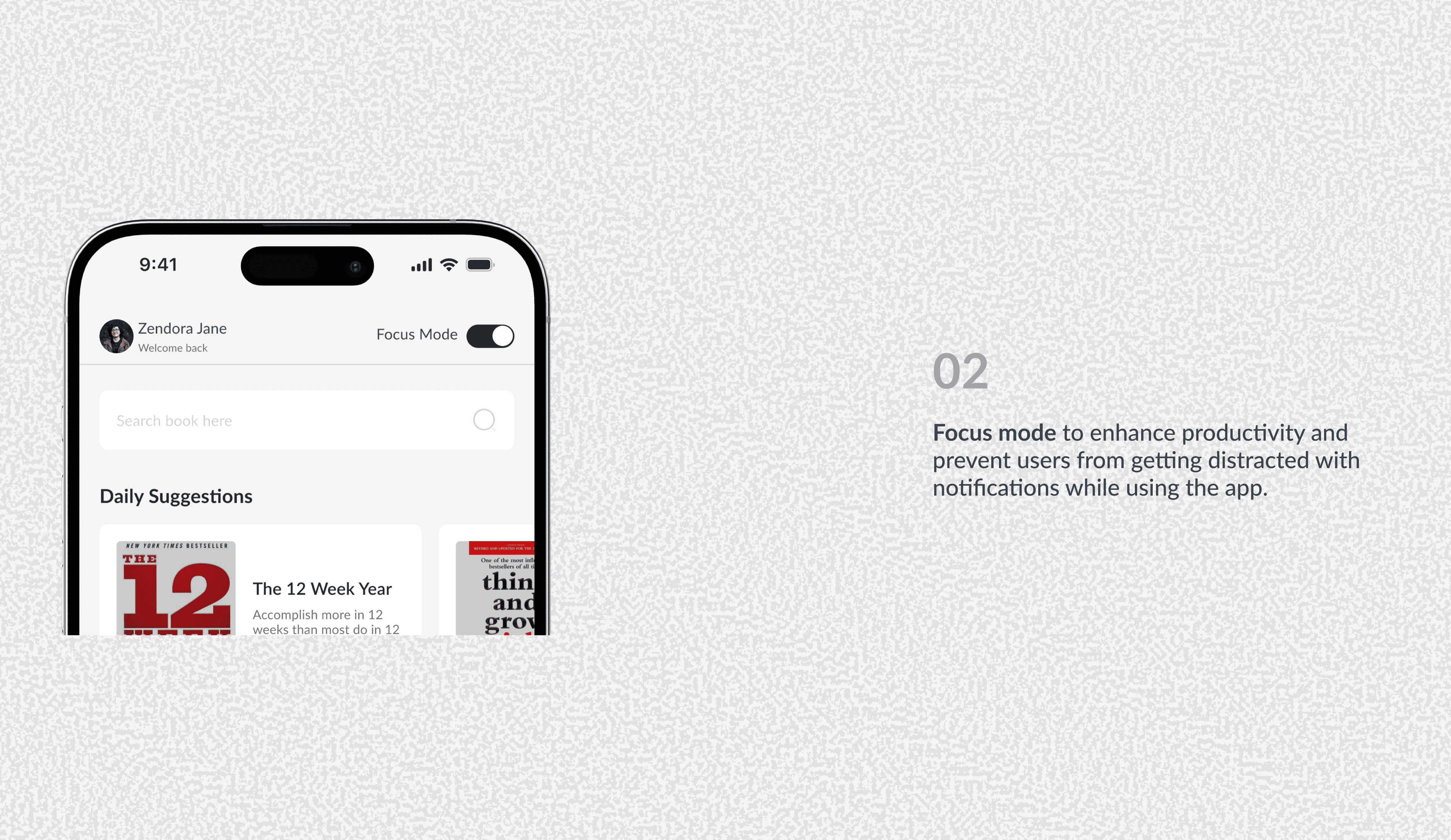
Blocks distractions with a tap, helping users carve out productive, few minutes learning sessions in their busy day.
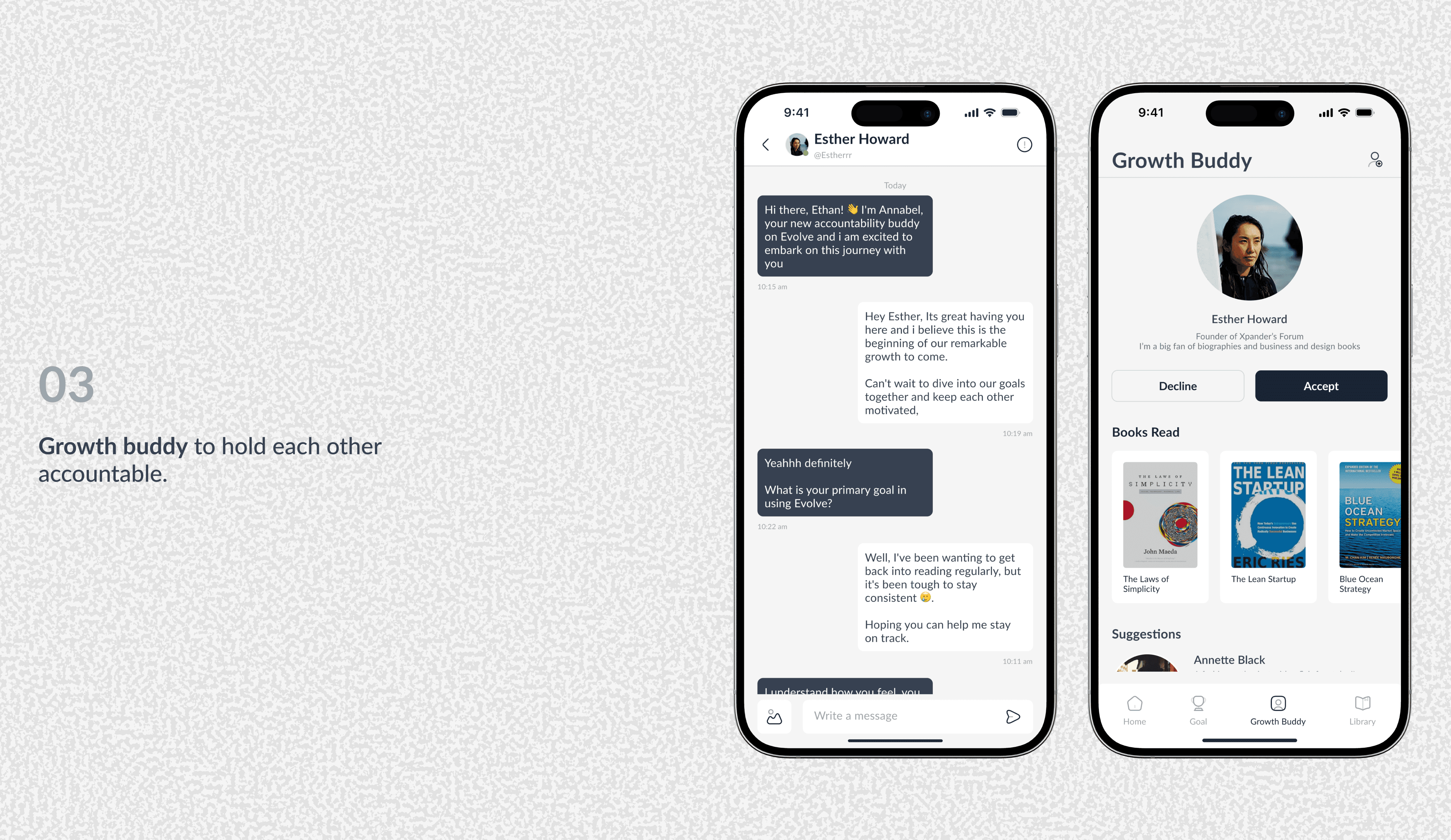
Connects users with a friend to share progress and provide motivation, turning a solo habit into a social commitment.
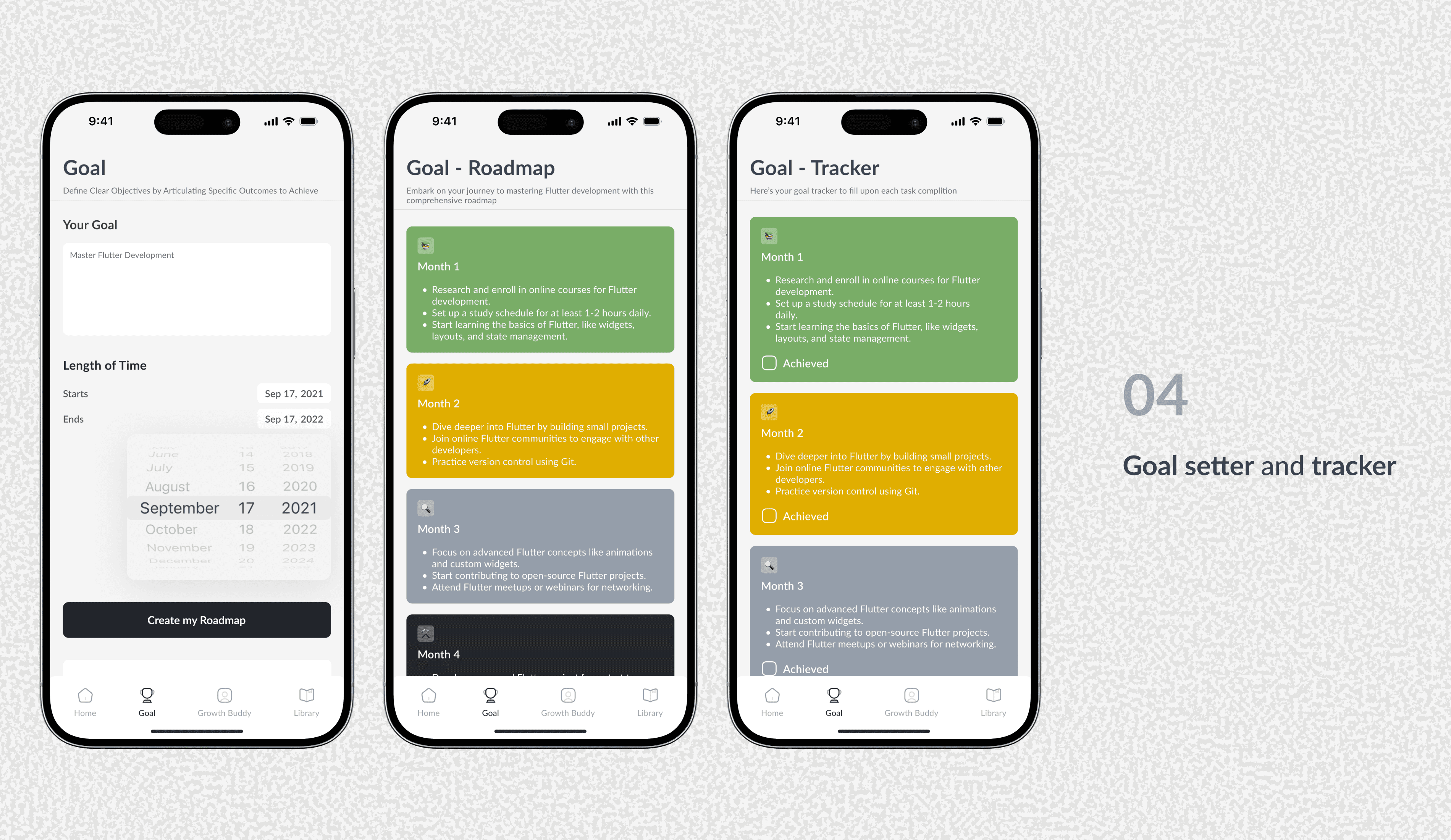
Makes learning goals feel achievable by breaking them into small, daily goals and providing visual proof of progress
Personal Growth & Reflection
This project was a journey of professional development where I learned to turn constraints into opportunities.
Embracing User Research: As a natural introvert, initiating user interviews was my biggest hurdle. I overcame this by attending local tech meetups to build a network of potential users and applying "The Mom Test" principles to structure effective, unbiased conversations.
Creative Problem-Solving: Limited direct access to some competitor apps due to geographic restrictions became a chance to hone my secondary research skills. I deep-dived into app reviews, video tutorials, and articles to thoroughly analyze their features and user pain points.
Building Rapport: Initial cold outreach for interviews had low response rates. I learned to refine my approach by personalizing invitations, clearly stating the time commitment, and fostering a more conversational tone during sessions to make participants feel comfortable.